
GRIDNET OS UI dApp Design Guidelines — The Complete Developer Reference
Everything a third-party developer needs to build production-grade decentralized applications for the world’s first decentralized operating system.
The most important thing we can tell you upfront: If you know HTML, CSS, and JavaScript, you already know how to build UI dApps for GRIDNET OS. There is no new language to learn. No proprietary framework to master. No paradigm shift to survive. You write standard web code — the same <div>s, the same flexbox, the same ES6 classes you’ve been writing for years — and it runs inside a decentralized operating system. The blockchain is underneath, but you interact with it through CVMContext: a clean, familiar JavaScript API. You call methods. You get callbacks. You await promises. That’s it.
Even when you venture deeper — into GridScript, GRIDNET OS’s native shell — you’ll find yourself on familiar ground. GridScript commands mirror the Linux/DOS commands you already know: cd, ls, cat, rm, mkdir, touch, chown, setfacl, getfacl. The send command transfers tokens. BT/CT (Begin Transaction / Commit Transaction) map directly to BEGIN/COMMIT from SQL — same concept, blockchain-backed. It’s a familiar shell with decentralized superpowers underneath.
This guide isn’t about learning something alien. It’s about learning the specific rules that make your existing web development skills work inside a multi-window, Shadow DOM-isolated, decentralized environment. The rules are few, well-motivated, and — once understood — make your dApps automatically responsive, secure, and multi-instance-safe. The payoff is enormous.
I. The Paradigm: Why GRIDNET OS dApps Are Different (And Why That’s Easy)
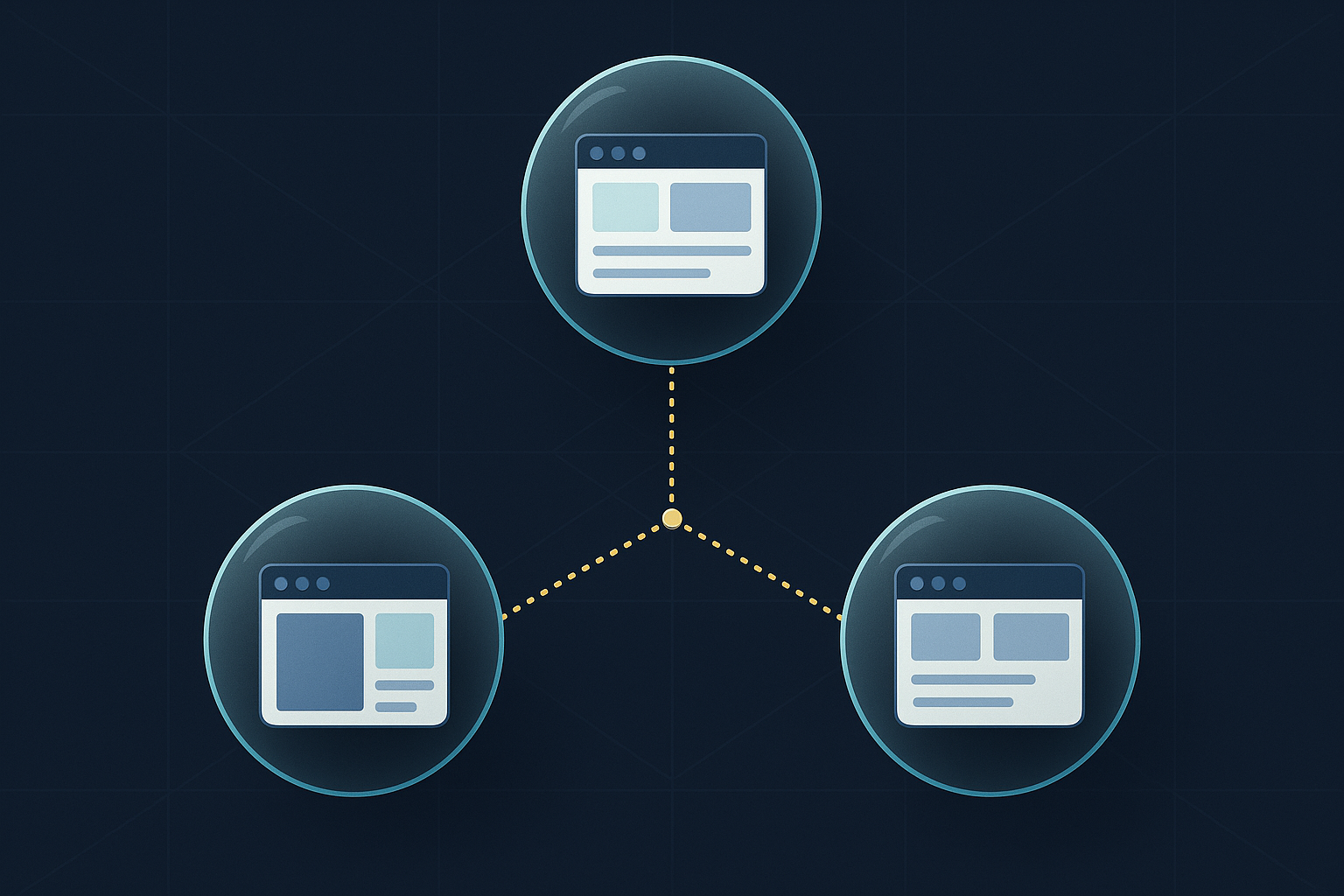
GRIDNET OS dApp development is web development. You use HTML for structure, CSS for styling, JavaScript for logic. The browser is the runtime. But there is one key difference you must internalise: your application does not own the viewport. Your application lives inside a window — one of potentially dozens of simultaneously running decentralized applications, each isolated from the others by Shadow DOM encapsulation, each communicating with a decentralized blockchain backend through a single, clean JavaScript gateway.
This is not a limitation. This is a superpower.
Shadow DOM isolation means your dApp cannot be tampered with by other applications. It means you can run ten instances of the same application simultaneously without a single variable collision. It means your CSS cannot leak into — or be corrupted by — anything else running on the system. In a decentralized operating system where untrusted code from unknown developers runs side by side, this isolation is not merely convenient — it is essential for security.
The viewport-independence (no vw/vh units) means your application automatically responds to its window being resized, maximised, minimised, or snapped — just like a native desktop application. You design for a container, not a screen, and the system handles the rest.
This guide covers every rule, every pattern, and every technique you need to build a production dApp for GRIDNET OS. If you can write HTML, CSS, and JavaScript, you can build for GRIDNET OS. But you must understand the rules — and more importantly, why they exist.
Prerequisites: Familiarity with JavaScript ES6 (classes, modules, arrow functions), HTML5, and CSS3. For a gentler introduction, see the Hello World UI dApp Tutorial.
II. Architecture: The Three-Layer Stack
Every GRIDNET OS UI dApp operates within a three-layer architecture:
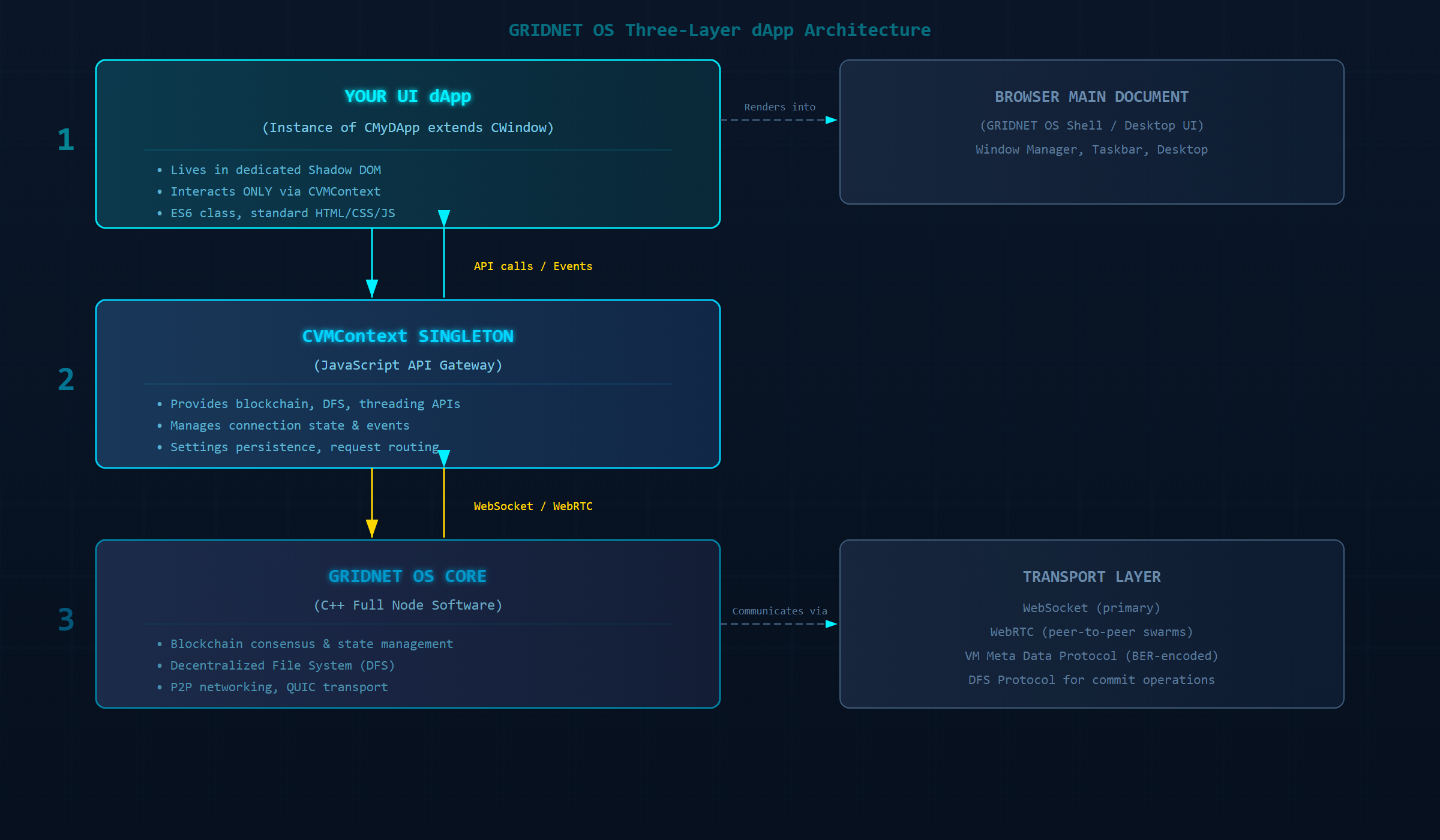
Layer 1: Your UI dApp (CWindow Instance)
Your application is a JavaScript ES6 class that extends CWindow from /lib/window.js. The CWindow base class provides window management (dragging, resizing, minimising, maximising), Shadow DOM encapsulation, DOM access methods, curtain/loading UI, dialog systems, and lifecycle hooks. Your dApp inherits all of this automatically.
Layer 2: CVMContext (The Gateway)
The CVMContext singleton (/lib/VMContext.js) is the only legitimate interface between your dApp and the GRIDNET OS Core. It provides APIs for blockchain queries, Decentralized File System (DFS) operations, network messaging, thread management, settings persistence, and event subscription. Access it via CVMContext.getInstance(). For comprehensive CVMContext documentation, see the CVMContext reference.
Layer 3: GRIDNET OS Core
The C++ full-node software that manages the blockchain, consensus, networking, and decentralized file storage. Your dApp never communicates with it directly — CVMContext handles all communication over WebSocket/WebRTC. For blockchain data exploration APIs, see the Explorer API documentation.
III. Getting Started: The Official Template
The fastest path to a working dApp is the official template at WebUI/dApps/AppTemplate.js. Here is the customisation checklist:
- Copy and rename
AppTemplate.jsto your dApp name (e.g.,MyCoolDApp.js) - Rename the class from
CUIAppTemplateto your class name (e.g.,CMyCoolDApp) - Set the window title in the
super()call - Update the default export at the bottom of the file
- Set your icon in
static getIcon()as a Base64-encodeddata:image/png;base64,…string - Define your HTML body in the body variable
- Set a unique package ID in
static getPackageID()— must use reverse-domain notation starting withorg.gridnetproject.UIdApps. - Optionally set a category via
static getDefaultCategory()— options include'dApps','explore','productivity' - Optionally register file handlers via
static getFileHandlers()
Minimal Complete Example
Here is the absolute minimum viable dApp — a complete, working application:
"use strict"

import { CWindow } from "/lib/window.js"

const myBody = `
<link rel="stylesheet" href="/css/windowDefault.css" />
<style>
.container {
    display: flex;
    align-items: center;
    justify-content: center;
    height: 100%;
    width: 100%;
    font-family: 'Rajdhani', sans-serif;
    color: #22fafc;
    background: #0a0a14;
}
.greeting {
    font-size: 2rem;
    text-shadow: 0 0 10px rgba(34, 250, 252, 0.5);
}
</style>
<div class="container">
    <div class="greeting" id="msg">Hello, GRIDNET OS!</div>
</div>
`;

class CMyFirstDApp extends CWindow {
    constructor(positionX, positionY, width, height, data, dataType, filePath, thread) {
        super(positionX, positionY, width, height, myBody, "My First dApp",
              CMyFirstDApp.getIcon(), true);
    }

    static getPackageID() {
        return "org.gridnetproject.UIdApps.myFirstDApp";
    }

    static getDefaultCategory() {
        return 'dApps';
    }

    static getIcon() {
        return ''; // data:image/png;base64,...
    }

    open() {
        super.open();
        const msg = this.getControl('msg');
        msg.textContent = 'Welcome to the Decentralized Future!';
    }

    closeWindow() {
        super.closeWindow();
    }
}

export default CMyFirstDApp;
IV. JavaScript Rules: The Ten Commandments
These rules are mandatory. Violating them will cause subtle, hard-to-debug failures when multiple dApp instances run simultaneously, or when your dApp interacts with others on the system.
Rule 1: No Global Scope Pollution
The rule: DO NOT define variables, functions, or objects in the global (window) scope.
Why it exists: GRIDNET OS runs multiple dApp instances in the same browser tab. Global variables from one instance will collide with globals from another instance — or worse, from a completely different dApp. A global let count = 0 in your code becomes a shared mutable variable across every running application.
❌ BAD — Global state that will collide:
let balance = 0;  // GLOBAL — shared across ALL instances!
let isConnected = false;

function updateBalance(val) {  // GLOBAL function!
    balance = val;
}

class CMyDApp extends CWindow {
    constructor(...args) {
        super(...args);
        updateBalance(100); // Modifies shared global state
    }
}
✅ GOOD — All state encapsulated in the class:
"use strict"

import { CWindow } from "/lib/window.js"

class CMyDApp extends CWindow {
    constructor(positionX, positionY, width, height, data, dataType, filePath, thread) {
        super(positionX, positionY, width, height, body, "My dApp", CMyDApp.getIcon(), true);
        this.mBalance = 0;        // Instance-scoped
        this.mIsConnected = false; // Instance-scoped
    }

    updateBalance(val) {  // Instance method
        this.mBalance = val;
    }
}
Production example — from the Wallet dApp constructor:
class CUIWallet extends CWindow {
    constructor(positionX, positionY, width, height, data, dataType, filePath, thread) {
        super(positionX, positionY, width, height, windowBodyHTML, "Wallet",
              CUIWallet.getIcon(), true, data, dataType, filePath, thread);
        // ALL state is instance-scoped via this.*
        this.mBalance = 0;
        this.mElements = {};
        this.mTxHistoryTable = null;
        this.mRecentTxTable = null;
        this.mAutoLockTimer = null;
        // ... dozens more instance properties
    }
}
Rule 2: No Direct DOM Access — Use Shadow DOM Methods
The rule: DO NOT use document.getElementById(), document.querySelector(), or document.querySelectorAll().
Why it exists: Your dApp’s elements live inside a Shadow DOM tree. The document.* methods search the main document — the GRIDNET OS shell — not your dApp’s shadow root. They will never find your elements, and if they find anything, it will be a system element you should not be touching.
❌ BAD — Searches the main document, finds nothing:
open() {
    super.open();
    const btn = document.getElementById('send-btn');  // Returns null!
    const labels = document.querySelectorAll('.label'); // Returns OS shell elements!
    btn.addEventListener('click', () => {}); // TypeError: null
}
✅ GOOD — Uses CWindow’s scoped access methods:
open() {
    super.open();
    // getControl(id) — find element by ID within Shadow DOM
    const btn = this.getControl('send-btn');

    // getBody.querySelector — CSS selector within Shadow DOM
    const firstLabel = this.getBody.querySelector('.label');

    // getBody.querySelectorAll — all matching elements within Shadow DOM
    const allLabels = this.getBody.querySelectorAll('.label');

    btn.addEventListener('click', () => this.handleSend());
}
Production example — from the Wallet dApp’s dashboard initialisation (showing extensive use of getControl):
// Wallet.js — caching element references for performance
this.mElements.availableBalance = this.getControl('available-balance-value');
this.mElements.lockedBalance = this.getControl('locked-balance-value');
this.mElements.totalBalance = this.getControl('total-balance-value');
this.mElements.currentAddress = this.getControl('current-address-value');
this.mElements.activeKeychainName = this.getControl('active-keychain-name');

// Event listeners using getControl
this.getControl('refresh-balance-btn').addEventListener('click', () => this.retrieveBalance(true));
this.getControl('send-action-btn').addEventListener('click', () => this.changeTab('send'));
this.getControl('receive-action-btn').addEventListener('click', () => this.changeTab('receive'));
this.getControl('copy-address-btn').addEventListener('click', () => this.copyAddressToClipboard());
Production example — using getBody for querySelector operations:
// Creating and appending elements to Shadow DOM
const notification = /* create element */;
this.getBody.appendChild(notification);

// Querying within shadow root
const existingModal = this.getBody.querySelector('.tt-result-modal');
const typeOptions = this.getBody.querySelectorAll('.type-option');
const shadowRoot = this.getBody.getRootNode();
Rule 3: Single Module Deployment
The rule: DO NOT rely on multi-file JavaScript deployments. Your dApp must be a single .app file.
Why it exists: The GRIDNET OS PackageManager expects a single file. The .app extension is simply a renamed .js file containing your bundled module.
❌ BAD — Multiple files that won’t deploy:
// utils.js (separate file — won't be available at runtime!)
export function formatBalance(val) { return val.toFixed(2); }

// myDApp.js
import { formatBalance } from './utils.js'; // FAILS at runtime
✅ GOOD — Everything in one file, or use a bundler:
// Either inline everything:
function formatBalance(val) { return val.toFixed(2); }

class CMyDApp extends CWindow { /* ... */ }

// Or use Rollup/Webpack/Parcel to bundle before deployment.
// System libraries (/lib/*) are imported normally — they're provided by the OS.
import { CWindow } from "/lib/window.js"      // OK — system-provided
import { CTools } from "/lib/tools.js"          // OK — system-provided
Important distinction: System libraries (anything under /lib/) and pre-loaded third-party libraries (Tabulator.js, Plotly.js, etc.) are provided by the OS environment. Import them freely. Only your own code and non-system dependencies must be bundled.
Rule 4: Use WeakMap for Private Instance Data
The rule: Use WeakMap to store truly private instance data when needed.
Why it exists: JavaScript class properties prefixed with this. are technically accessible from outside the class. WeakMap provides true encapsulation with the added benefit of automatic garbage collection when the instance is destroyed — preventing memory leaks in a long-running OS environment.
❌ BAD — Pseudo-private with underscore convention:
class CMyDApp extends CWindow {
    constructor(...args) {
        super(...args);
        this._privateKey = 'secret123'; // Accessible as instance._privateKey
    }
}
✅ GOOD — Truly private via WeakMap:
const _private = new WeakMap();

class CMyDApp extends CWindow {
    constructor(positionX, positionY, width, height, data, dataType, filePath, thread) {
        super(positionX, positionY, width, height, body, "My dApp", CMyDApp.getIcon(), true);
        _private.set(this, {
            privateKey: null,
            encryptionState: null,
            sensitiveData: new Map()
        });
    }

    setPrivateKey(key) {
        _private.get(this).privateKey = key;
    }

    getPrivateKey() {
        return _private.get(this).privateKey;
    }
}
// _private is module-scoped, not global — only accessible within this file.
Rule 5: Strict Mode
The rule: Always use "use strict"; at the beginning of your module.
Why it exists: Strict mode catches common coding mistakes (silent errors become thrown errors), prevents accidental globals, and enables JavaScript engine optimisations. In a multi-instance environment, accidental globals are catastrophic.
"use strict"  // FIRST LINE of your file

import { CWindow } from "/lib/window.js"
// ... rest of your code
Both the Wallet and Terminal dApps begin with "use strict".
Rule 6: All OS Interaction Through CVMContext
The rule: Use CVMContext.getInstance() for ALL interactions with GRIDNET OS features — blockchain, DFS, network, threading, settings.
Why it exists: CVMContext is the designated, secure, managed gateway. It handles connection management, request routing, event dispatch, and thread synchronisation. Bypassing it would create unmanaged connections, resource leaks, and security vulnerabilities.
❌ BAD — Direct WebSocket connection:
// NEVER do this
const ws = new WebSocket('wss://node.gridnet.org:8080');
ws.onmessage = (e) => { /* ... */ };
✅ GOOD — All communication through CVMContext:
const vmContext = CVMContext.getInstance();

// Register for blockchain events
vmContext.addVMMetaDataListener(this.newVMMetaDataCallback.bind(this), this.mID);
vmContext.addNewDFSMsgListener(this.newDFSMsgCallback.bind(this), this.mID);
vmContext.addNewGridScriptResultListener(this.newGridScriptResultCallback.bind(this), this.mID);

// Request data asynchronously
const reqID = vmContext.genRequestID(); // Generate unique request ID
this.addNetworkRequestID(reqID);  // Track request ownership

// Async pattern
async initialize() {
    try {
        const status = await vmContext.getBlockchainStatusA(
            this.getSystemThreadID(), this, eVMMetaCodeExecutionMode.RAW
        );
        this.updateUI(status.data);
    } catch (error) {
        this.handleError(error);
    }
}
Rule 7: Do Not Bundle System Libraries
The rule: DO NOT include GRIDNET OS system libraries or OS-provided third-party libraries in your bundle.
Why it exists: System libraries are loaded and managed by the OS. Bundling your own copy would create version conflicts, waste memory, and potentially break when the OS updates.
// ✅ GOOD — import system libraries directly
import { CWindow } from "/lib/window.js"
import { CVMMetaSection, CVMMetaEntry, CVMMetaGenerator, CVMMetaParser } from '/lib/MetaData.js'
import { CNetMsg } from '/lib/NetMsg.js'
import { CTools, CDataConcatenator } from '/lib/tools.js'
import { CAppSettings, CSettingsManager } from "/lib/SettingsManager.js"
import { CContentHandler } from "/lib/AppSelector.js"
import { CBlockDesc } from '/lib/BlockDesc.js'
import { CTransaction } from '/lib/Transaction.js'
import { GridScriptCompiler } from '/lib/GridScriptCompiler.js'

// Libraries like Tabulator.js, Plotly.js are pre-loaded by the OS
// Reference them directly if they're available in the environment
Rule 8: Bind Event Listener Context
The rule: Always bind this context when using class methods as callbacks.
Why it exists: When a method is passed as a callback, this loses its class context and becomes the event target (or undefined in strict mode). Without binding, your callback cannot access instance properties or methods.
❌ BAD — Lost context:
constructor(...args) {
    super(...args);
    // this.handleClick will have wrong 'this' when called
    CVMContext.getInstance().addVMMetaDataListener(this.newVMMetaDataCallback, this.mID);
}
✅ GOOD — Bound context:
constructor(...args) {
    super(...args);
    // .bind(this) preserves class context
    CVMContext.getInstance().addVMMetaDataListener(this.newVMMetaDataCallback.bind(this), this.mID);
    CVMContext.getInstance().addNewDFSMsgListener(this.newDFSMsgCallback.bind(this), this.mID);
    CVMContext.getInstance().addNewGridScriptResultListener(
        this.newGridScriptResultCallback.bind(this), this.mID
    );
}

// For UI event listeners, arrow functions also work:
open() {
    super.open();
    this.getControl('my-btn').addEventListener('click', (e) => this.handleClick(e));
    // OR
    this.getControl('my-btn').addEventListener('click', this.handleClick.bind(this));
}
Production example — the Terminal dApp constructor registers five listeners, all with .bind(this):
// Terminal.js constructor
CVMContext.getInstance().addVMMetaDataListener(this.newVMMetaDataCallback.bind(this), this.mID);
CVMContext.getInstance().addNewDFSMsgListener(this.newDFSMsgCallback.bind(this), this.mID);
CVMContext.getInstance().addNewGridScriptResultListener(
    this.newGridScriptResultCallback.bind(this), this.mID
);
CVMContext.getInstance().addNewTerminalDataListener(
    this.newTerminalDataCallback.bind(this), this.mID
);
CVMContext.getInstance().addVMStateChangedListener(
    this.VMStateChangedCallback.bind(this), this.mID
);
Rule 9: Track Network Request Ownership
The rule: Register network request IDs and verify ownership in callbacks.
Why it exists: Multiple dApp instances share CVMContext event channels. Without checking request IDs, your callback would process data meant for another instance.
// Requesting data
const reqID = vmContext.genRequestID(); // Generate unique request ID
this.addNetworkRequestID(reqID);

// In callback — verify this response is yours
newDFSMsgCallback(dfsMsg) {
    if (!this.hasNetworkRequestID(dfsMsg.getReqID))
        return; // Not our request — ignore

    // Process the data
    if (dfsMsg.getData1.byteLength > 0) {
        let metaData = this.mMetaParser.parse(dfsMsg.getData1);
        // ...
    }
}
Rule 10: Clean Up in closeWindow()
The rule: Always override closeWindow() to stop threads, clear timers, unregister listeners, and destroy resources. Always call super.closeWindow() at the end.
Why it exists: Without cleanup, threads keep running, timers keep firing, event listeners keep receiving data — all for a window that no longer exists. This causes memory leaks, phantom processing, and eventual browser tab crashes.
Production example — the Wallet dApp’s comprehensive cleanup:
closeWindow() {
    // Stop auto-lock timer
    if (this.mAutoLockTimer) {
        clearInterval(this.mAutoLockTimer);
        this.mAutoLockTimer = null;
    }

    // Stop transaction tracking timer
    if (this.mTxTrackingInterval) {
        clearInterval(this.mTxTrackingInterval);
        this.mTxTrackingInterval = null;
    }

    // Unregister all event listeners
    this.mVMContext.unregisterEventListenerByID(this.mID);

    // Clean up tables
    if (this.mTxHistoryTable) {
        this.mTxHistoryTable.destroy();
    }
    if (this.mRecentTxTable) {
        this.mRecentTxTable.destroy();
    }
    if (this.mOutgressPoolsTable) {
        this.mOutgressPoolsTable.destroy();
    }
    if (this.mIngressPoolsTable) {
        this.mIngressPoolsTable.destroy();
    }

    // ALWAYS call parent close last
    super.closeWindow();
}
V. CSS Rules: Designing for a Window, Not a Viewport
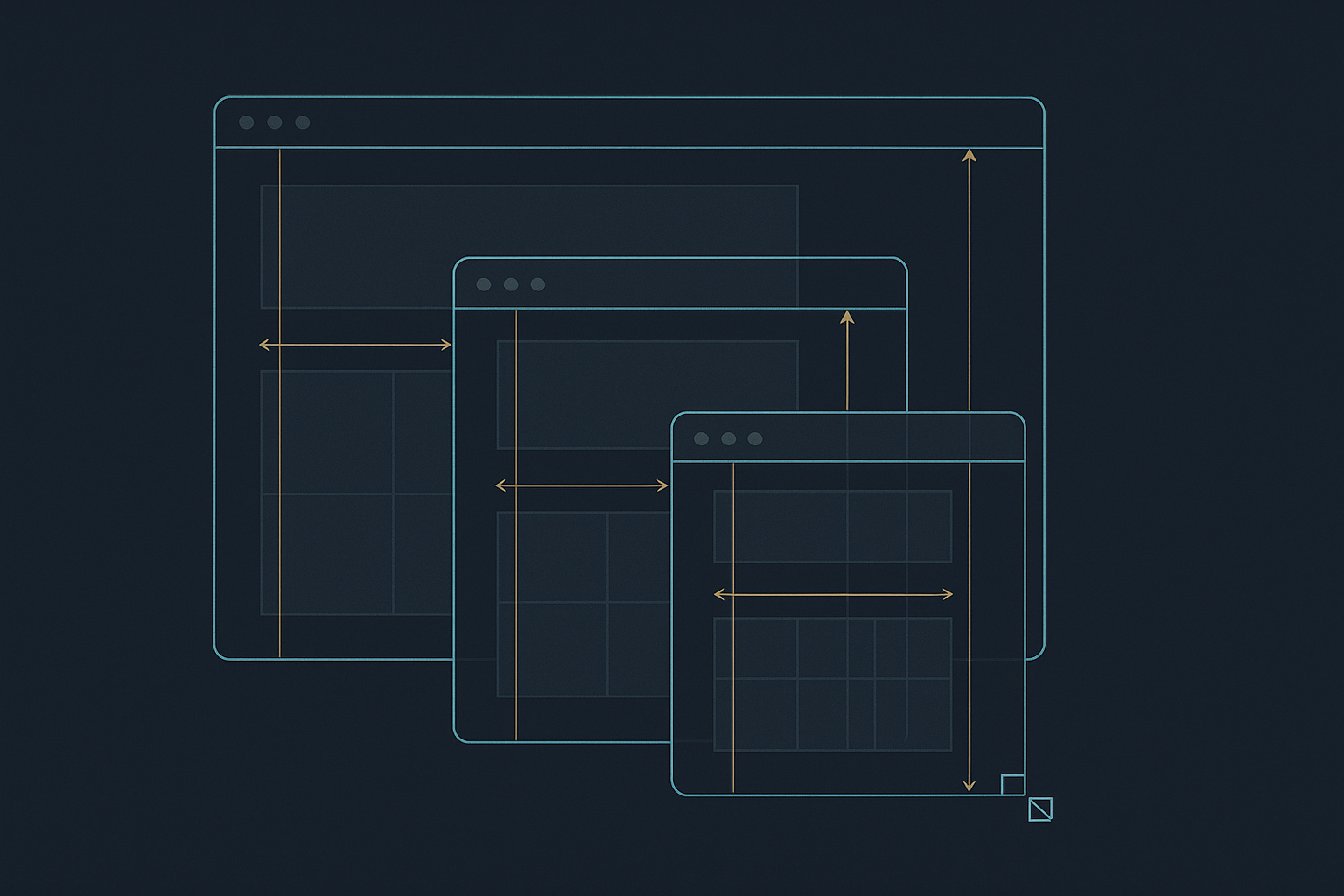
The CSS rules flow from one fundamental truth: your dApp lives in a resizable window, not a full-screen browser tab. Every rule below serves this reality.
Rule 1: No Viewport Units (vw/vh)
The rule: DO NOT use vw or vh units anywhere in your CSS.
Why it exists: vw and vh are relative to the browser viewport, not your CWindow container. A width: 50vw element will be half the browser window — which could be vastly larger or smaller than your dApp’s window. When the user resizes the dApp window, vw/vh values don’t change, breaking your layout.
The strength: By using %, flex, and grid instead, your layout automatically responds to window resize, maximise, minimise, and snap — no media queries needed for basic responsiveness.
❌ BAD — Viewport-relative sizing:
.sidebar {
    width: 25vw;     /* Relative to browser, not dApp window! */
    height: 100vh;   /* Will overflow or underflow the window! */
}

.modal {
    max-width: 80vw; /* Meaningless inside a 400px window */
    font-size: 3vw;  /* Text size changes with browser zoom, not window size */
}
✅ GOOD — Container-relative sizing:
.sidebar {
    width: 25%;      /* 25% of the dApp's container */
    height: 100%;    /* Full height of the container */
}

.modal {
    max-width: 90%;  /* Relative to the window content area */
    font-size: 1.2rem; /* Consistent, readable size */
}
Rule 2: No position: fixed or position: sticky
The rule: DO NOT use position: fixed or position: sticky in ways that depend on the browser window.
Why it exists: position: fixed positions relative to the browser viewport, not your dApp’s window. A “fixed” header would float over other dApp windows or the OS shell. position: sticky can behave unpredictably within Shadow DOM scroll containers.
❌ BAD — Escapes the window:
.header {
    position: fixed;  /* Positions relative to browser viewport! */
    top: 0;
    left: 0;
    width: 100%;
    z-index: 9999;    /* Floats above EVERYTHING, including other windows */
}
✅ GOOD — Contained within the window:
.wallet-container {
    position: absolute; /* OK — relative to parent within Shadow DOM */
    top: 0;
    left: 0;
    height: 100%;
    width: 100%;
    display: flex;
    flex-direction: column;
}

.wallet-header {
    /* No position: fixed needed — flex layout keeps it at top */
    display: flex;
    justify-content: space-between;
    align-items: center;
    height: 60px;
    flex-shrink: 0; /* Don't compress the header */
}

.wallet-content {
    flex: 1;         /* Takes remaining space */
    overflow-y: auto; /* Scrollable content area */
}
Production example — the Wallet dApp uses exactly this pattern:
.wallet-container {
    height: 100%;
    width: 100%;
    position: absolute;
    top: 0;
    left: 0;
    display: flex;
    flex-direction: column;
    overflow: hidden;
}
Rule 3: Use Flexbox and Grid for Layouts
The rule: Use display: flex and display: grid with relative units (%, fr, em, rem) for all layouts.
Why it exists: Flex and grid layouts automatically adapt to their container size. Combined with the ban on viewport units, this gives you inherently responsive layouts that work at any window size.
/* Three-column layout that adapts to window width */
.dashboard-grid {
    display: grid;
    grid-template-columns: repeat(auto-fit, minmax(200px, 1fr));
    gap: 1rem;
    padding: 1rem;
}

/* Vertical stack with fixed header/footer, flexible content */
.app-layout {
    display: flex;
    flex-direction: column;
    height: 100%;
}

.app-header { flex-shrink: 0; }
.app-content { flex: 1; overflow-y: auto; }
.app-footer { flex-shrink: 0; }

/* Horizontal toolbar with even spacing */
.toolbar {
    display: flex;
    gap: 0.5rem;
    align-items: center;
    flex-wrap: wrap; /* Wraps on narrow windows */
}
Rule 4: No Pixel-Perfect Major Layouts
The rule: DO NOT use absolute pixel positioning for major layout elements.
Why it exists: Pixel values don’t scale with window resize. Reserve pixels only for fine details: icon padding, border widths, small gaps.
❌ BAD:
.content {
    width: 800px;   /* What if the window is 600px wide? */
    margin-left: 200px; /* What if sidebar is different size? */
}
✅ GOOD:
.content {
    flex: 1;        /* Takes remaining space after sidebar */
    min-width: 0;   /* Prevents flex overflow */
}

.sidebar {
    width: 25%;
    min-width: 150px;
    max-width: 300px;
}
Rule 5: Avoid !important
The rule: DO NOT use !important excessively.
Why it exists: !important breaks the CSS cascade and makes styles unmaintainable. Use more specific selectors instead. The one acceptable use is overriding third-party library styles (like Tabulator.js) that require specificity battles.
❌ BAD:
.button {
    color: blue !important;
    background: red !important;
    padding: 10px !important;
}
✅ GOOD:
/* More specific selector instead of !important */
.wallet-container .action-panel .button {
    color: blue;
    background: red;
    padding: 10px;
}

/* Acceptable: overriding third-party library */
.tabulator-col-title {
    color: #22fafc !important;  /* Tabulator needs !important for theme overrides */
}
Rule 6: All Styles Scoped to Shadow DOM
The rule: Define ALL styles within your dApp’s HTML/CSS payload. Do not rely on external stylesheets not loaded inside your Shadow DOM.
Why it exists: Shadow DOM provides style isolation — styles from outside cannot leak in, and your styles cannot leak out. This is a security feature. But it means you must include everything you need.
The strength: You can use any class names without worrying about collisions. .button, .container, .header — these are yours and yours alone.
const myBody = `
<!-- System stylesheet — provided by OS -->
<link rel="stylesheet" href="/css/windowDefault.css" />

<!-- YOUR styles — scoped to this Shadow DOM -->
<style>
/* No collision risk — .header is ONLY yours */
.header {
    background: linear-gradient(90deg, #090918, #141432);
    border-bottom: 1px solid #22fafc;
}

/* Class name 'button' won't affect any other dApp */
.button {
    background: linear-gradient(90deg, #22fafc, #00b4ff);
    color: #0a0a14;
}
</style>

<div class="header">...</div>
`;
Rule 7: No External CSS Variables
The rule: DO NOT rely on CSS variables (--my-color) defined outside your Shadow DOM. Define all variables within your own scope.
Why it exists: CSS custom properties defined in the main document do not penetrate Shadow DOM boundaries (unless explicitly inherited). Never assume external variables exist.
/* ✅ Define your own variables */
<style>
:host {
    --primary: #22fafc;
    --bg-dark: #0a0a14;
    --text: #e0e0ff;
}

.panel {
    color: var(--text);
    background: var(--bg-dark);
    border-color: var(--primary);
}
</style>
VI. CVMContext Interaction Patterns
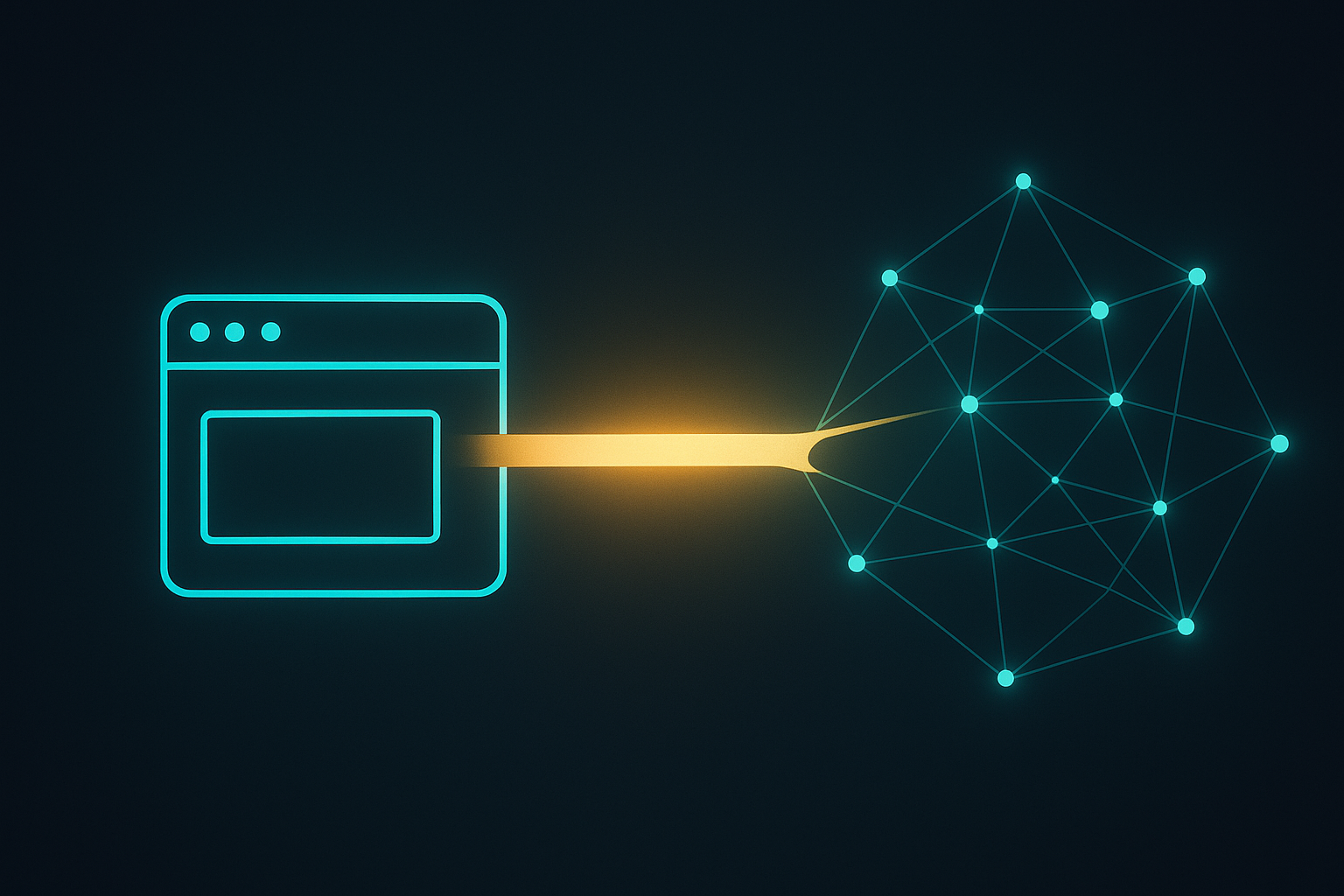
All communication between your dApp and GRIDNET OS flows through the CVMContext singleton. Here are the essential interaction patterns:
Event Listener Registration
Register in the constructor, unregister in closeWindow():
constructor(...args) {
    super(...args);
    const vm = CVMContext.getInstance();

    // Blockchain metadata responses
    vm.addVMMetaDataListener(this.newVMMetaDataCallback.bind(this), this.mID);

    // Decentralized File System responses
    vm.addNewDFSMsgListener(this.newDFSMsgCallback.bind(this), this.mID);

    // GridScript execution results
    vm.addNewGridScriptResultListener(this.newGridScriptResultCallback.bind(this), this.mID);

    // VM state changes (connection state, etc.)
    vm.addVMStateChangedListener(this.VMStateChangedCallback.bind(this), this.mID);

    // Terminal data (for terminal-type dApps)
    vm.addNewTerminalDataListener(this.newTerminalDataCallback.bind(this), this.mID);
}

closeWindow() {
    CVMContext.getInstance().unregisterEventListenerByID(this.mID);
    super.closeWindow();
}
Async Data Retrieval
async loadBlockchainStatus() {
    try {
        const vmContext = CVMContext.getInstance();
        const status = await vmContext.getBlockchainStatusA(
            this.getSystemThreadID(),
            this,
            eVMMetaCodeExecutionMode.RAW
        );
        this.updateUIWithStatus(status.data);
    } catch (error) {
        console.error('Failed to load status:', error);
        this.showNotification('Error loading blockchain status', 'error');
    }
}
Thread Management
// Create a periodic background thread
initialize() {
    this.mControllerThreadInterval = 1000; // 1 second
    this.mControler = CVMContext.getInstance().createJSThread(
        this.mControllerThreadF.bind(this),
        this.getProcessID,
        this.mControllerThreadInterval
    );
}

// Thread function with mutex protection
mControllerThreadF() {
    if (this.mControllerExecuting) return false;
    this.mControllerExecuting = true;

    // Your periodic logic here
    this.refreshData();

    this.mControllerExecuting = false;
}

// Always stop in closeWindow()
closeWindow() {
    if (this.mControler > 0) {
        CVMContext.getInstance().stopJSThread(this.mControler);
    }
    super.closeWindow();
}
Settings Persistence
// Load settings
loadSettings() {
    CVMContext.getInstance().getSettingsManager.loadSettings(CMyDApp.getPackageID());
    return this.activateSettings();
}

// Save settings
saveSettings() {
    let sets = CMyDApp.getSettings();
    CVMContext.getInstance().getSettingsManager.saveAppSettings(sets);
}

// Static settings storage
static getSettings() {
    return CMyDApp.sCurrentSettings;
}

static setSettings(sets) {
    if (!(sets instanceof CAppSettings)) return false;
    CMyDApp.sCurrentSettings = sets;
    return true;
}

// Default settings
static getDefaultSettings() {
    let obj = { theme: 'dark', refreshInterval: 30, version: 1 };
    return new CAppSettings(CMyDApp.getPackageID(), obj);
}

// Initialize at bottom of file
CMyDApp.sCurrentSettings = new CAppSettings(CMyDApp.getPackageID());
VII. Window Lifecycle and Events
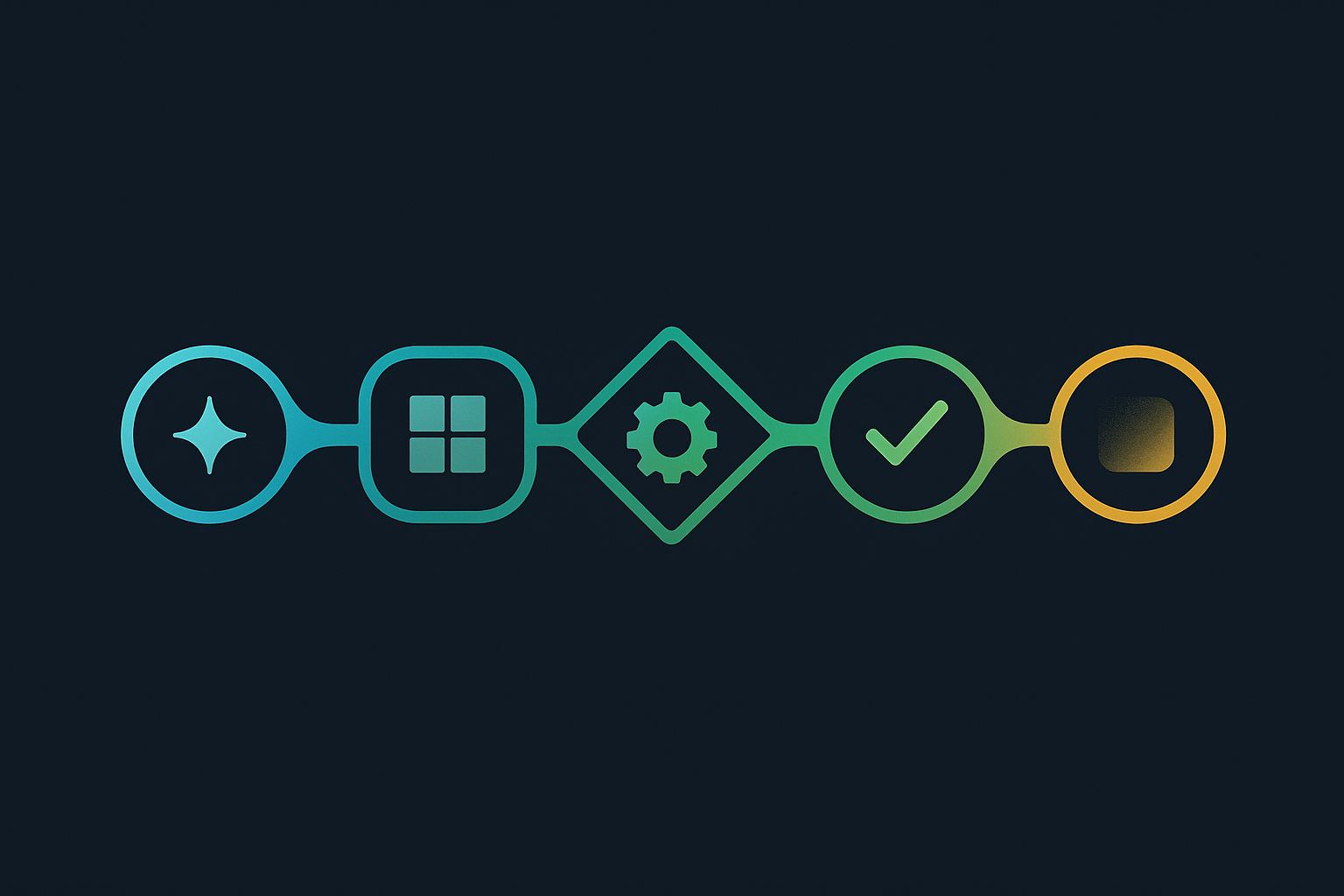
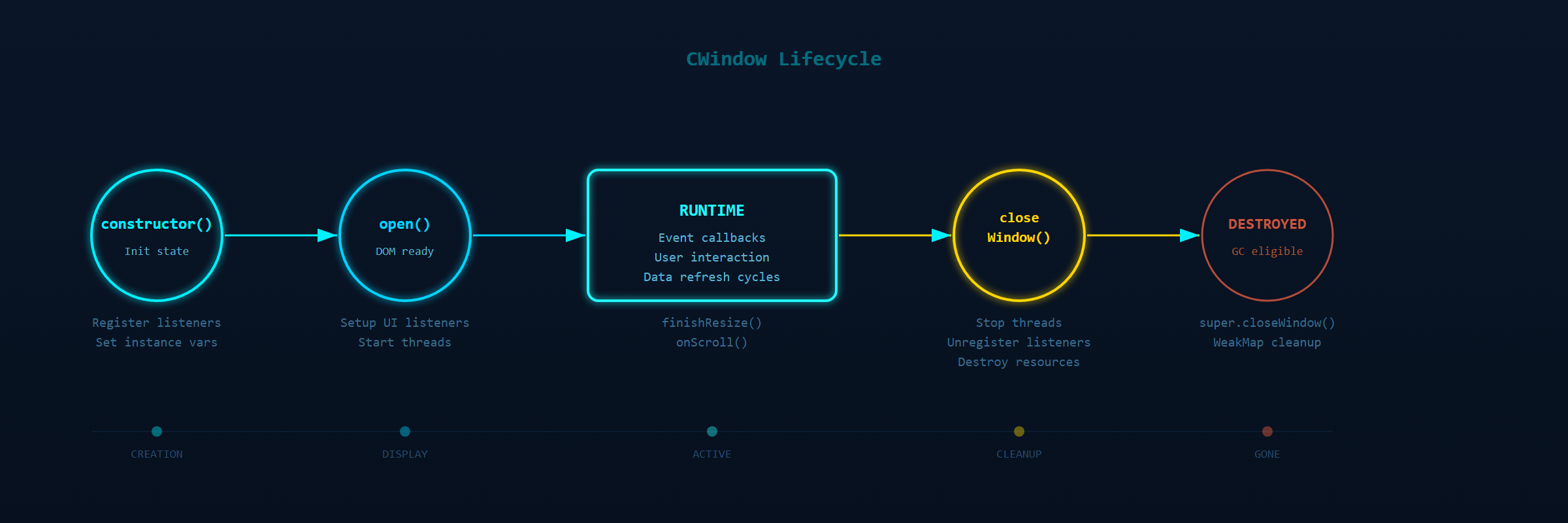
Your dApp’s lifecycle follows a predictable sequence of events:
Constructor → open() → [Runtime] → closeWindow()
class CMyDApp extends CWindow {
    // 1. CONSTRUCTOR — called when window object is created
    constructor(positionX, positionY, width, height, data, dataType, filePath, thread) {
        super(positionX, positionY, width, height, body, "Title", CMyDApp.getIcon(), true);

        // Initialize instance state
        this.mTools = CTools.getInstance();
        this.mMetaParser = new CVMMetaParser();

        // Register event listeners
        CVMContext.getInstance().addVMMetaDataListener(
            this.newVMMetaDataCallback.bind(this), this.mID
        );
    }

    // 2. OPEN — called when window is displayed and ready for interaction
    open() {
        super.open(); // MUST call super
        this.initialize();
        // DOM is now accessible via getControl/getBody
        // Set up UI event listeners, populate content
    }

    // 3. RESIZE EVENTS — fired during window resize
    finishResize(isFallbackEvent) {
        super.finishResize(isFallbackEvent);
        // React to new dimensions:
        // this.getClientWidth, this.getClientHeight
    }

    stopResize(handle) {
        super.stopResize(handle);
    }

    // 4. SCROLL EVENTS
    onScroll(event) {
        super.onScroll(event);
    }

    // 5. CLOSE — clean up everything
    closeWindow() {
        // Stop threads
        if (this.mControler > 0) {
            CVMContext.getInstance().stopJSThread(this.mControler);
        }
        // Unregister listeners
        CVMContext.getInstance().unregisterEventListenerByID(this.mID);
        // Destroy UI components
        // ALWAYS call super last
        super.closeWindow();
    }
}
Curtain Control
The “curtain” is a loading overlay managed by CWindow. It appears during DOM mutations to prevent users from interacting with partially-rendered UI:
// Pause curtain during rapid DOM updates (e.g., slider interactions)
this.pauseCurtain(3); // Pause for 3 seconds

// Whitelist elements that cause frequent DOM mutations
this.addCurtainWhitelist({
    classNames: ['slider-handle', 'slider-track', 'live-counter'],
    ids: ['main-balance-display', 'progress-indicator'],
    maxDepth: 5  // Check up to 5 parent levels
});

// Manual curtain control for long operations
this.showCurtain(true, false, false);
// ... perform long operation ...
this.hideCurtain();
User Dialogs
// Ask user for string input
this.askString('⋮⋮⋮ Title', 'What is your question?', this.handleResponse.bind(this), true);

// Handle the response
handleResponse(e) {
    if (e.answer) {
        const userInput = e.answer;
        // Use the input
    }
}

// Log notifications
this.mTools.logEvent('Operation complete!',
    eLogEntryCategory.dApp, 0, eLogEntryType.notification, this);
VIII. Responsive Design Patterns for Windowed Applications
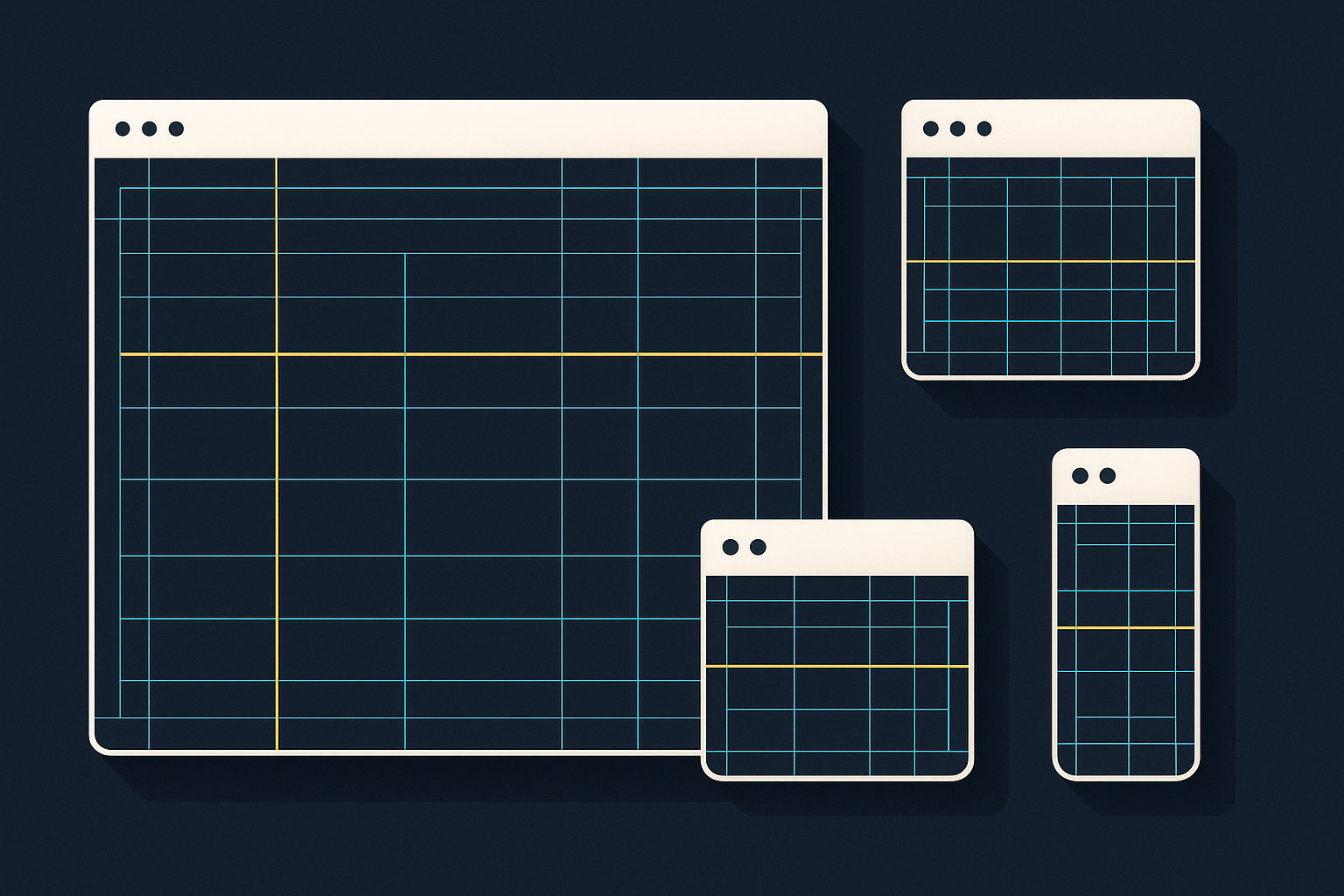
Since you can’t use viewport units or media queries based on screen size, responsive design in GRIDNET OS uses a different approach: class-based breakpoints applied programmatically via JavaScript, combined with fluid CSS.
The Pattern: JS-Driven Breakpoint Classes
The Wallet dApp demonstrates this pattern in its finishResize() handler:
finishResize(isFallbackEvent) {
    super.finishResize(isFallbackEvent);

    const width = this.getClientWidth;
    const container = this.getControl('wallet-container');

    // Apply breakpoint classes based on window width
    container.classList.remove('wallet-narrow', 'wallet-mobile', 'wallet-tablet');

    if (width < 480) {
        container.classList.add('wallet-narrow');
    } else if (width < 600) {
        container.classList.add('wallet-mobile');
    } else if (width < 900) {
        container.classList.add('wallet-tablet');
    }
}
Then in CSS, target these classes instead of media queries:
/* Default (wide) layout */
.wallet-header {
    padding: 10px 20px;
    height: 60px;
}

/* Narrow window layout */
.wallet-narrow .wallet-header {
    padding: 8px 10px;
    height: 50px;
}

.wallet-narrow .wallet-logo {
    display: none; /* Hide logo in very narrow windows */
}

.wallet-narrow .wallet-nav-item {
    width: 30px;
    height: 30px;
}

/* Mobile-width window layout */
.wallet-mobile .wallet-header {
    padding: 10px 12px;
    height: 54px;
}

.wallet-mobile .wallet-logo {
    display: none;
}
Note: CSS @media queries referencing max-width still work but they reference the viewport width, not the window width. The JS-driven approach gives you true window-responsive behavior.
IX. Complete Production-Ready Example: A Data Dashboard dApp
Here is a complete, production-ready dApp demonstrating all the patterns covered in this guide — a blockchain data dashboard that queries blockchain status, displays it in a responsive layout, persists settings, and handles all lifecycle events correctly:
"use strict"

import { CWindow } from "/lib/window.js"
import { CVMMetaSection, CVMMetaEntry, CVMMetaGenerator, CVMMetaParser } from '/lib/MetaData.js'
import { CTools, CDataConcatenator } from '/lib/tools.js'
import { CAppSettings, CSettingsManager } from "/lib/SettingsManager.js"
import { CContentHandler } from "/lib/AppSelector.js"

const _private = new WeakMap();

const dashboardBody = `
<link rel="stylesheet" href="/css/windowDefault.css" />
<style>
:host {
    --primary: #22fafc;
    --bg-dark: #0a0a14;
    --bg-panel: rgba(10, 10, 25, 0.8);
    --text: #e0e0ff;
    --text-dim: #b0b0dd;
    --border: rgba(34, 250, 252, 0.2);
}
.dashboard {
    font-family: 'Rajdhani', 'Roboto', sans-serif;
    color: var(--text);
    background: var(--bg-dark);
    height: 100%; width: 100%;
    position: absolute; top: 0; left: 0;
    display: flex; flex-direction: column;
    overflow: hidden;
}
.dash-header {
    background: linear-gradient(90deg, #090918, #141432);
    border-bottom: 1px solid var(--primary);
    padding: 10px 20px;
    display: flex; justify-content: space-between; align-items: center;
    flex-shrink: 0;
}
.dash-title {
    font-size: 1.3rem; color: var(--primary);
    text-shadow: 0 0 8px rgba(34, 250, 252, 0.4);
}
.dash-content {
    flex: 1; padding: 20px; overflow-y: auto;
}
.cards {
    display: grid;
    grid-template-columns: repeat(auto-fit, minmax(180px, 1fr));
    gap: 15px;
}
.card {
    background: var(--bg-panel);
    border: 1px solid var(--border);
    border-radius: 4px; padding: 15px;
}
.card-label { color: var(--text-dim); font-size: 0.85rem; text-transform: uppercase; }
.card-value { font-size: 1.5rem; color: var(--primary); font-weight: bold; margin-top: 5px; }
.status-bar {
    background: linear-gradient(90deg, #090918, #141432);
    border-top: 1px solid var(--primary);
    padding: 6px 20px;
    font-size: 0.8rem; color: #808080;
    flex-shrink: 0;
    display: flex; justify-content: space-between;
}
.btn-refresh {
    background: linear-gradient(90deg, rgba(34, 250, 252, 0.1), rgba(34, 250, 252, 0.2));
    border: 1px solid rgba(34, 250, 252, 0.3);
    border-radius: 4px; padding: 6px 12px;
    color: var(--primary); cursor: pointer;
    font-family: inherit; font-size: 0.85rem;
}
.btn-refresh:hover {
    background: rgba(34, 250, 252, 0.2);
    box-shadow: 0 0 10px rgba(34, 250, 252, 0.3);
}
.dash-narrow .dash-header { padding: 8px 12px; }
.dash-narrow .dash-content { padding: 10px; }
.dash-narrow .cards { grid-template-columns: 1fr; }
</style>

<div class="dashboard" id="dashboard-container">
    <div class="dash-header">
        <span class="dash-title">Blockchain Dashboard</span>
        <button class="btn-refresh" id="refresh-btn">⟳ Refresh</button>
    </div>
    <div class="dash-content">
        <div class="cards">
            <div class="card">
                <div class="card-label">Block Height</div>
                <div class="card-value" id="block-height">—</div>
            </div>
            <div class="card">
                <div class="card-label">Network Peers</div>
                <div class="card-value" id="peer-count">—</div>
            </div>
            <div class="card">
                <div class="card-label">Transactions Today</div>
                <div class="card-value" id="tx-count">—</div>
            </div>
            <div class="card">
                <div class="card-label">Connection State</div>
                <div class="card-value" id="conn-state">—</div>
            </div>
        </div>
    </div>
    <div class="status-bar">
        <span id="last-update">Last update: never</span>
        <span id="refresh-interval">Auto-refresh: 30s</span>
    </div>
</div>
`;

class CBlockchainDashboard extends CWindow {
    constructor(positionX, positionY, width, height, data, dataType, filePath, thread) {
        super(positionX, positionY, width, height, dashboardBody,
              "Blockchain Dashboard", CBlockchainDashboard.getIcon(), true);

        // Private data via WeakMap
        _private.set(this, {
            lastUpdateTime: null,
            refreshCount: 0
        });

        // Instance state
        this.mTools = CTools.getInstance();
        this.mMetaParser = new CVMMetaParser();
        this.mControllerThreadInterval = 30000; // 30 seconds
        this.mControlerExecuting = false;
        this.mControler = 0;

        // Register for events
        CVMContext.getInstance().addVMMetaDataListener(
            this.newVMMetaDataCallback.bind(this), this.mID
        );
        CVMContext.getInstance().addNewDFSMsgListener(
            this.newDFSMsgCallback.bind(this), this.mID
        );
        CVMContext.getInstance().addVMStateChangedListener(
            this.onConnectionStateChanged.bind(this), this.mID
        );
    }

    static getPackageID() {
        return "org.gridnetproject.UIdApps.blockchainDashboard";
    }

    static getDefaultCategory() { return 'dApps'; }

    static getIcon() { return ''; }

    static getFileHandlers() {
        return []; // No file associations
    }

    // — Lifecycle —

    open() {
        super.open();
        this.initialize();

        // Set up UI event listeners
        this.getControl('refresh-btn').addEventListener('click',
            () => this.refreshData()
        );

        // Initial data load
        this.refreshData();
    }

    initialize() {
        // Load saved settings
        if (this.loadSettings()) {
            this.mTools.logEvent('[Dashboard] Settings loaded.',
                eLogEntryCategory.dApp, 0, eLogEntryType.notification);
        } else {
            CBlockchainDashboard.setSettings(
                CBlockchainDashboard.getDefaultSettings()
            );
        }

        // Start auto-refresh thread
        this.mControler = CVMContext.getInstance().createJSThread(
            this.mControllerThreadF.bind(this),
            this.getProcessID,
            this.mControllerThreadInterval
        );
    }

    closeWindow() {
        if (this.mControler > 0) {
            CVMContext.getInstance().stopJSThread(this.mControler);
        }
        CVMContext.getInstance().unregisterEventListenerByID(this.mID);
        _private.delete(this);
        super.closeWindow();
    }

    // — Resize handling —

    finishResize(isFallbackEvent) {
        super.finishResize(isFallbackEvent);
        const container = this.getControl('dashboard-container');
        container.classList.remove('dash-narrow');
        if (this.getClientWidth < 500) {
            container.classList.add('dash-narrow');
        }
    }

    // — Data refresh —

    mControllerThreadF() {
        if (this.mControlerExecuting) return false;
        this.mControlerExecuting = true;
        this.refreshData();
        this.mControlerExecuting = false;
    }

    async refreshData() {
        try {
            const vm = CVMContext.getInstance();
            const status = await vm.getBlockchainStatusA(
                this.getSystemThreadID(), this, eVMMetaCodeExecutionMode.RAW
            );
            if (status && status.data) {
                this.updateDashboard(status.data);
            }
        } catch (err) {
            console.error('[Dashboard] Refresh failed:', err);
        }
    }

    updateDashboard(data) {
        const priv = _private.get(this);
        priv.lastUpdateTime = new Date();
        priv.refreshCount++;

        if (data.blockHeight !== undefined) {
            this.getControl('block-height').textContent =
                data.blockHeight.toLocaleString();
        }
        if (data.peerCount !== undefined) {
            this.getControl('peer-count').textContent = data.peerCount;
        }
        if (data.txCount !== undefined) {
            this.getControl('tx-count').textContent =
                data.txCount.toLocaleString();
        }

        this.getControl('last-update').textContent =
            'Last update: ' + priv.lastUpdateTime.toLocaleTimeString();
    }

    // — Event callbacks —

    onConnectionStateChanged(eventData) {
        const stateEl = this.getControl('conn-state');
        if (eventData && eventData.state !== undefined) {
            stateEl.textContent = eventData.state === eConnectionState.connected
                ? '🟢 Connected' : '🔴 Disconnected';
        }
    }

    newVMMetaDataCallback(msg) {
        if (!this.hasNetworkRequestID(msg.getReqID)) return;
        // Process metadata response
    }

    newDFSMsgCallback(dfsMsg) {
        if (!this.hasNetworkRequestID(dfsMsg.getReqID)) return;
        // Process DFS response
    }

    // — Settings —

    static getSettings() { return CBlockchainDashboard.sCurrentSettings; }
    static setSettings(sets) {
        if (!(sets instanceof CAppSettings)) return false;
        CBlockchainDashboard.sCurrentSettings = sets;
        return true;
    }

    loadSettings() {
        CVMContext.getInstance().getSettingsManager.loadSettings(
            CBlockchainDashboard.getPackageID()
        );
        return this.activateSettings();
    }

    activateSettings() {
        const sets = CBlockchainDashboard.getSettings();
        if (!sets || typeof sets.getVersion === 'undefined') return false;
        if (sets.getVersion !== 1) return false;
        const data = sets.getData;
        if (!data) return false;
        if (data.refreshInterval) {
            this.mControllerThreadInterval = data.refreshInterval * 1000;
        }
        return true;
    }

    saveSettings() {
        const sets = CBlockchainDashboard.getSettings();
        CVMContext.getInstance().getSettingsManager.saveAppSettings(sets);
    }

    static getDefaultSettings() {
        return new CAppSettings(CBlockchainDashboard.getPackageID(), {
            refreshInterval: 30,
            version: 1
        });
    }
}

CBlockchainDashboard.sCurrentSettings = new CAppSettings(
    CBlockchainDashboard.getPackageID()
);

export default CBlockchainDashboard;
X. Deployment Workflow
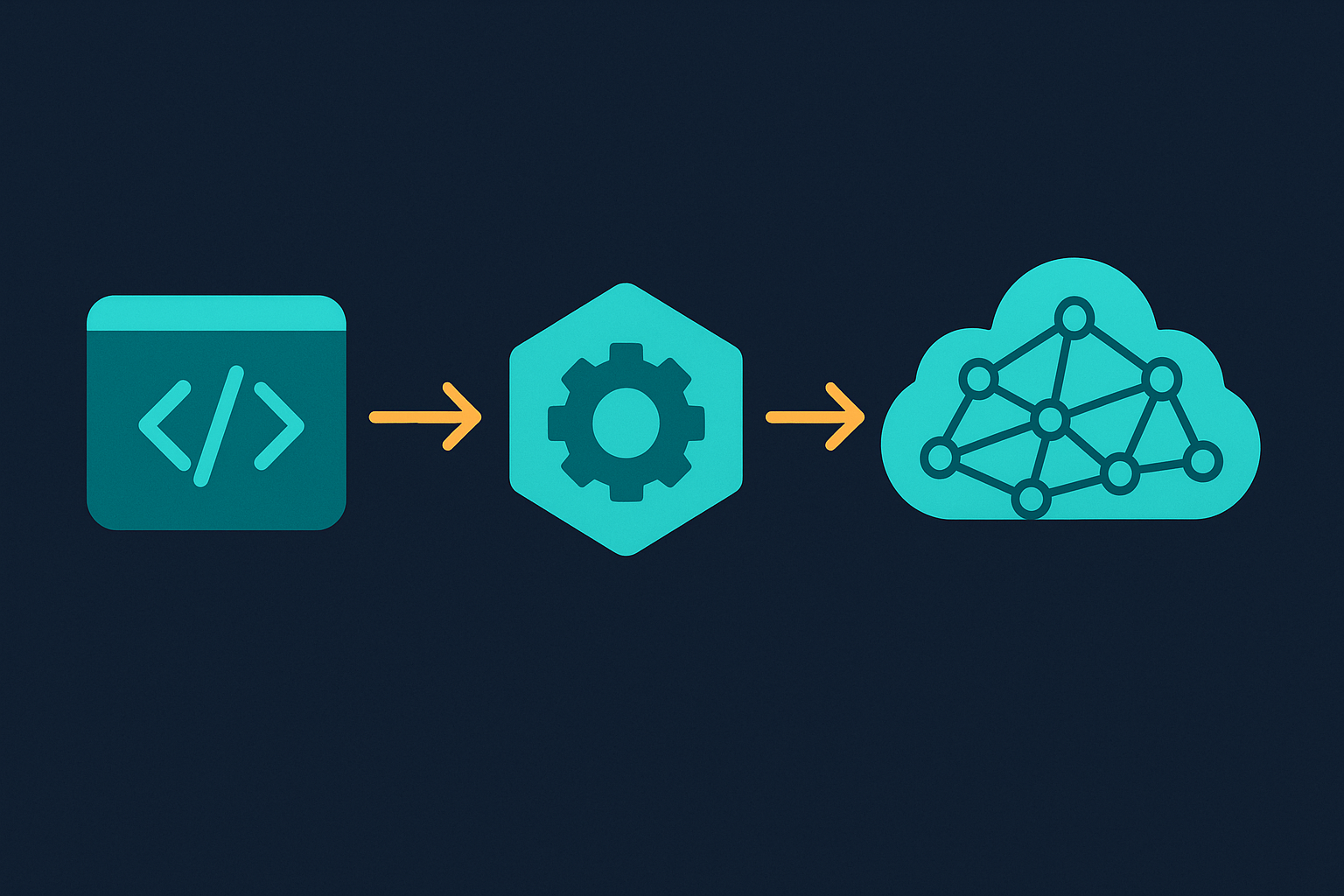
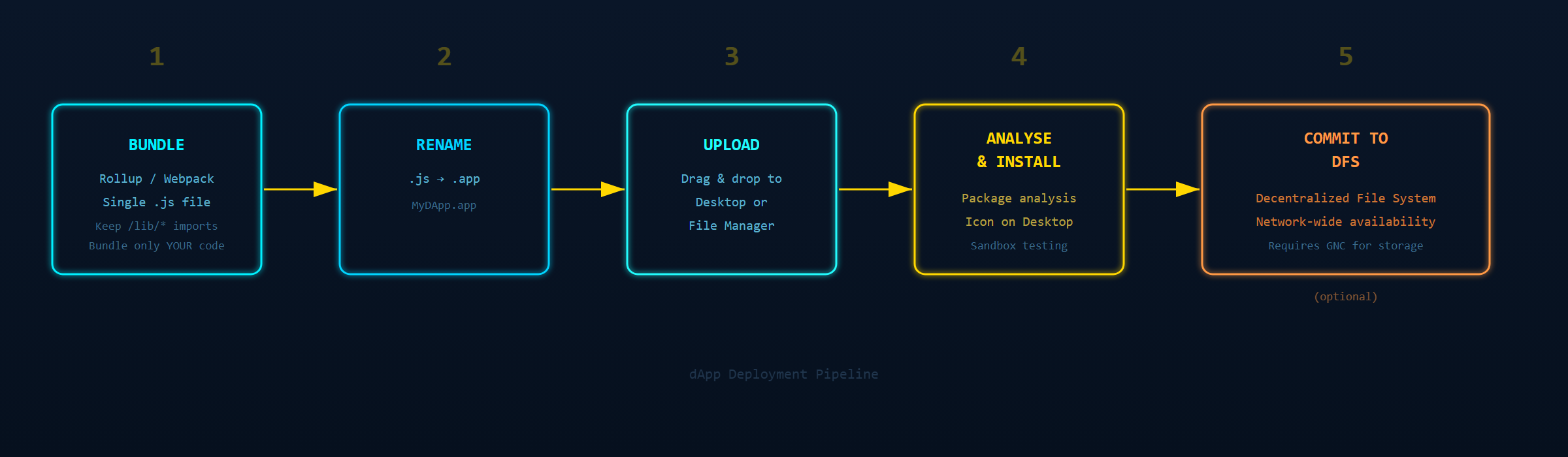
Deploying your dApp to GRIDNET OS follows five steps:
- Bundle — Combine all your custom JavaScript and non-system dependencies into a single file using Rollup, Webpack, or Parcel. System libraries (
/lib/*) and OS-provided libraries (Tabulator, Plotly) should not be bundled. - Rename — Change the file extension from
.jsto.app(e.g.,BlockchainDashboard.app). - Upload — Connect to the GRIDNET OS UI at
https://ui.gridnet.org(or your local instance). Drag and drop the.appfile onto the Desktop or into the File Manager dApp. - Analyse & Install — The OS analyses the package. Events appear in the log pane. Once analysed, your dApp’s icon appears on the Desktop. You can run it in “sandbox” mode for testing.
- (Optional) Commit to DFS — To make the dApp persistent and available across the decentralised network, select the
.appfile in the File Manager and use the ⋮⋮⋮ Magic Button to commit it to the Decentralised File System. This requires GNC for storage fees.
XI. Going Deeper — GridScript: A Familiar Shell with Blockchain Superpowers
Most UI dApp developers will never need to write GridScript directly — CVMContext abstracts the blockchain layer into clean JavaScript calls. But when you do venture deeper — for advanced operations, custom smart contracts, or direct blockchain manipulation via the Terminal dApp — you’ll find a command set that feels like coming home.
GridScript’s commands are deliberately modelled on Linux/UNIX and DOS conventions:
| GridScript Command | Linux/DOS Equivalent | What It Does in GRIDNET OS |
|---|---|---|
ls |
ls / dir |
List contents of the current domain (blockchain namespace) |
cd |
cd |
Change current domain (navigate the blockchain namespace tree) |
cat |
cat / type |
Display contents of a blockchain state entry |
mkdir |
mkdir |
Create a new domain (blockchain namespace) |
touch |
touch |
Create a new state entry |
rm |
rm / del |
Remove a state entry or domain |
chown |
chown |
Change ownership of a domain |
setfacl |
setfacl |
Set access control lists on blockchain resources |
getfacl |
getfacl |
View access control lists |
send |
(blockchain-native) | Transfer GNC tokens to another domain |
BT |
SQL BEGIN |
Begin a blockchain transaction |
CT |
SQL COMMIT |
Commit the transaction to the blockchain |
The analogy to SQL is particularly illuminating: just as a database transaction groups multiple operations into an atomic unit with BEGIN and COMMIT, GridScript’s BT/CT pair groups blockchain operations into an atomic on-chain transaction. If you’ve ever written BEGIN; UPDATE ...; INSERT ...; COMMIT;, you already understand the pattern — except now the database is a global, decentralized, tamper-proof state machine.
Your UI dApp typically invokes these operations indirectly through CVMContext methods — you don’t type ls in your JavaScript. But understanding the underlying model makes debugging easier, the Terminal dApp immediately useful, and the entire system less mysterious. GRIDNET OS was designed to feel familiar to anyone who’s ever opened a terminal.
XII. Quick Reference Card
| Category | DO | DON’T |
|---|---|---|
| DOM Access | this.getControl('id'), this.getBody.querySelector() |
document.getElementById(), document.querySelector() |
| State | this.mMyVar, WeakMap |
Global variables, window.myVar |
| CSS Sizing | %, em, rem, fr, flex |
vw, vh |
| Positioning | relative, absolute (within container), flex |
fixed, sticky |
| Layout | display: flex, display: grid |
Pixel-perfect absolute positioning |
| OS Interaction | CVMContext.getInstance() |
Direct WebSocket, fetch() to blockchain |
| Event Listeners | callback.bind(this), arrow functions |
Unbound method references |
| Cleanup | Stop threads, unregister listeners in closeWindow() |
Leaving threads running, listeners leaking |
| Deployment | Single .app file, system imports |
Multi-file deployments, bundled system libs |
| Styles | Scoped within Shadow DOM, own CSS variables | External CDN stylesheets, external CSS vars |
XIII. Further Reading
- Hello World UI dApp Tutorial — Build your first dApp step by step
- CVMContext Documentation — Complete API reference for the GRIDNET OS JavaScript gateway
- Blockchain Explorer API — Query blockchain data, blocks, transactions, and domains
- GRIDNET OS GitHub Repository — Source code, templates, and examples
Welcome to the decentralised future. Build something extraordinary.